Yep, we may get a tiny thank-you (read: commission) when you buy through
links on Gadgetspotr — not enough for a yacht, but enough to keep the lights (and
servers) on.
Learn more
40
Highlights
56
Differences
9
Reactions
0
Likes
Ortur H20
vs
xTool F1:
40 Highlights & 56 Differences —
So, Which Laser Engraver & Cutter Actually Works Better
Both promise 10W diode performance, but they feel totally different in use. One cuts deeper, the other thinks smarter, guess which wins?
Which one’s your upgrade — Ortur H20 or xTool F1? We compared specs like job repeat function, multi language support, led work lights & custom preset storage and more to help you choose smarter.
Ortur H20 vs xTool F1: Two 10 Watt Laser Engravers, Two Very Different Philosophies
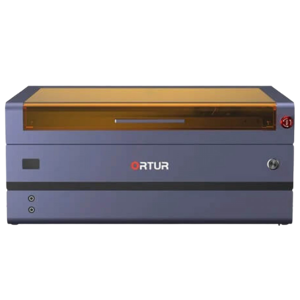
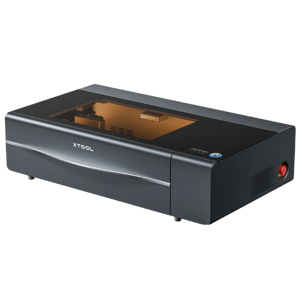
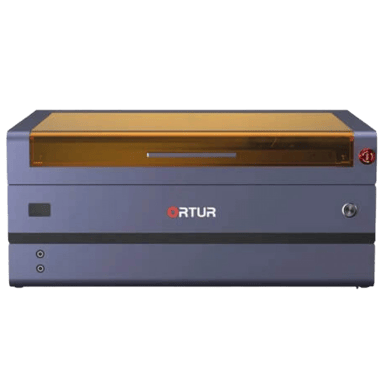
The Ortur H20 and xTool F1 are both 10 Watt diode laser engraver cutters built around a similar core concept: compact desktop machines capable of engraving and cutting wood, acrylic, leather, and more. On paper, they share essentials like a 10 Watt optical laser output, a tight 0.08 x 0.08 mm laser spot size, and Class 4 laser classification. Yet the similarities start to thin out when you examine structure, workflow, and safety systems. One is an open-frame machine designed for flexibility and deeper cutting, while the other leans into enclosure-style convenience and automation.
Both units support common file formats such as SVG, PNG, JPG, BMP, DXF, and PDF, and they connect through Wi Fi, Bluetooth, and USB. They are also certified under CE, FCC, and FDA standards, which matters for electrical compliance and general operational safety. However, the way they approach focus control, camera alignment, maintenance alerts, and even laser lifespan reveals two distinct use cases. Choosing between them comes down to whether you prioritize raw cutting depth and modularity or automation and integrated workflow features.
Ortur H20: Built for Depth, Longevity, and Modularity
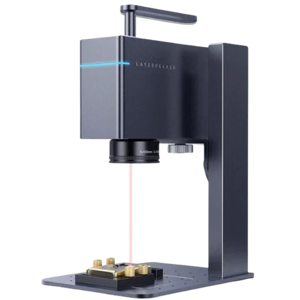
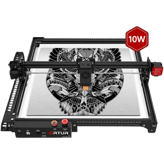
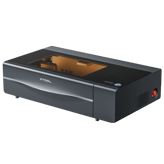
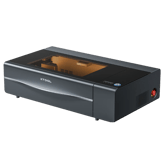
The Ortur H20 positions itself as a more flexible and upgrade-friendly system. Its open-frame structure keeps weight down to 7.72 lbs and allows a generous 15.75 inch by 15.75 inch work area. More importantly for makers who cut thicker stock, it supports up to 0.59 inch maximum cutting depth in wood, which is substantially deeper than its competitor. Acrylic cutting is also rated at 0.39 inch, giving it an edge for structural craft projects.
Precision is another strong point. The H20 lists 0.0004 inch positioning accuracy and matching engraving precision, paired with a 787.4 inch maximum engraving speed. For batch production or medium-volume output, this combination can translate into cleaner detail at higher throughput. The inclusion of pass-through capability further expands the range of longer materials that can be processed.
Durability also favors the Ortur in one specific metric: a 10000 hours rated laser lifespan. Compared to 2000 hours on the xTool F1, this is a notable gap in projected service life. The laser module is both replaceable and upgrade-compatible, which adds long-term flexibility for users who may want more power or need replacement without replacing the entire unit.
Safety is thoughtfully layered in practical ways. The H20 includes flame detection, tilt detection, auto pause on movement, and overheat protection. It also features an integrated honeycomb bed and supports air assist out of the box, both of which can improve cut quality and reduce scorching. While it lacks enclosure protection, its feature set is well aligned with experienced hobbyists or semi-professional users who want control over setup and expansion.
xTool F1: Automation, Enclosure, and Workflow Intelligence
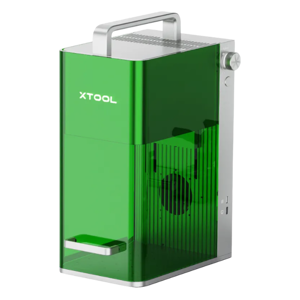
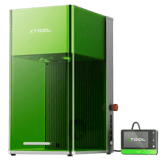
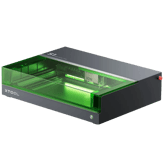
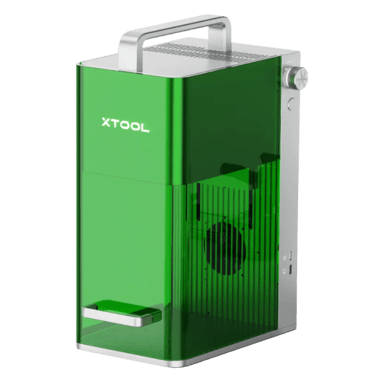
The xTool F1 takes a different route, favoring a more enclosed and guided experience. At 44 lbs, it is significantly heavier and housed in a partially enclosed structure that contributes to a more contained work environment. Its footprint measures 23.6 inch by 15.6 inch with a taller 16.1 inch profile, and it offers 5.3 inch of work area height clearance, which can accommodate taller objects with a riser configuration.
One of its standout elements is the integrated camera alignment system with an 8 MP live preview camera. This allows real-time visual placement of designs, which can significantly reduce trial and error. Autofocus and adjustable focus are also included, streamlining setup compared to the fixed-focus approach of the H20.
While its maximum wood cutting depth is lower at 0.24 inch, the F1 introduces refinements such as vibration compensation, maintenance alerts, and onboard storage. It supports offline operation and cloud storage, features that may benefit users in workshop or event environments where network access varies. The use of linear rails instead of V-slot wheels can also improve motion stability over time.
Safety enhancements lean toward automation. The machine includes a laser key lock and auto shutoff, adding an extra layer of operational control. It is also UL certified alongside CE and FCC, which may provide additional reassurance in regions where UL compliance is prioritized. However, its laser module is not user-replaceable, and the rated 2000 hours lifespan suggests a shorter service window compared to the Ortur.
In terms of price, the xTool F1 is available for $1099 at xTool.com, placing it slightly below the Ortur H20 at $1199. That difference may influence buyers who value integrated features over raw cutting depth.
Quick Take
The Ortur H20 emphasizes deeper cutting, higher rated lifespan, and modular expandability, making it appealing for makers who plan to push material limits. The xTool F1 focuses on automation, camera-assisted alignment, and refined workflow features, which can simplify day-to-day engraving. Both share the same 10 Watt diode foundation, but they target different working styles.
Bottom Line
If cutting thicker wood and maximizing laser longevity are top priorities, the Ortur H20 offers measurable advantages in depth and projected hours. If ease of setup, autofocus, and camera-guided placement matter more, the xTool F1 provides a more streamlined, enclosed experience. The better choice depends less on raw power and more on how you prefer to work.
Side by side. The numbers. The features. No drama.
Not sure which smart tech to go for? We compared Ortur H20 vs xTool F1 down to every detail — including specs, perks, and what users are really saying.
The Machine Width for Ortur H20 is 23.62 inches, while the xTool F1 measures 23.6 inches, showing a negligible difference of 0.02 inches. Both machines are similarly compact, suitable for most workspaces.
Width of the machine footprint.
In the battle of Machine Width,
Ortur H20 ◉ is
worse than
xTool F1 ◉
, delivering
equal
23.62 inch
measurement.
Don’t keep it to yourself — be the first to react and review the
Machine Width on Ortur H20 ◉
vs xTool F1 ◉ and help others decide!
Supported Operating Systems for Ortur H20 include Windows, macOS, and Linux, while xTool F1 supports only macOS. Ortur H20 offers broader OS compatibility, making it more versatile for varied user environments.
Indicates OS compatibility for controlling software.
In the battle of Supported Operating Systems,
Ortur H20 ◉ is
same as
xTool F1 ◉
.
Don’t keep it to yourself — be the first to react and review the
Supported Operating Systems on Ortur H20 ◉
vs xTool F1 ◉ and help others decide!
Ortur H20 offers a Machine Depth of 22.83 inches compared to xTool F1's 15.6 inches, making the H20 deeper by 7.23 inches. This makes Ortur H20 better for projects needing more depth space.
Depth of the machine footprint.
In the battle of Machine Depth,
Ortur H20 ◉ is
worse than
xTool F1 ◉
, delivering
higher
7.2 inch
measurement.
Don’t keep it to yourself — be the first to react and review the
Machine Depth on Ortur H20 ◉
vs xTool F1 ◉ and help others decide!
Product Type
What is the product type?
0
Ortur H20
0Votes
Laser Engraver Cutter
0
xTool F1
0Votes
Laser Engraver Cutter
Defines the category of the machine.
In the battle of Product Type,
Ortur H20 ◉ is
same as
xTool F1 ◉
.
Don’t keep it to yourself — be the first to react and review the
Product Type on Ortur H20 ◉
vs xTool F1 ◉ and help others decide!
Intended Use Cases
What are the intended use cases?
0
Ortur H20
0Votes
Hobby, Professional
0
xTool F1
0Votes
Hobby
Describes user applications.
In the battle of Intended Use Cases,
Ortur H20 ◉ is
same as
xTool F1 ◉
.
Don’t keep it to yourself — be the first to react and review the
Intended Use Cases on Ortur H20 ◉
vs xTool F1 ◉ and help others decide!
Control Method
What is the control method?
0
Ortur H20
0Votes
Software, Mobile App
0
xTool F1
0Votes
Mobile App
vs
Control Method
Control Methods for Ortur H20 include both Software and Mobile App, compared to xTool F1's Mobile App only. Ortur H20 provides more flexible control options for diverse user preferences.
Defines how the user operates the machine.
In the battle of Control Method,
Ortur H20 ◉ is
same as
xTool F1 ◉
.
Don’t keep it to yourself — be the first to react and review the
Control Method on Ortur H20 ◉
vs xTool F1 ◉ and help others decide!
Frame Type
What is the frame type?
0
Ortur H20
0Votes
Open Frame
0
xTool F1
0Votes
Enclosed
Describes structural design of the machine.
In the battle of Frame Type,
Ortur H20 ◉ is
same as
xTool F1 ◉
.
Don’t keep it to yourself — be the first to react and review the
Frame Type on Ortur H20 ◉
vs xTool F1 ◉ and help others decide!
Machine Weight
What is the machine weight?
7.72
lbs
0Votes
44
lbs
0Votes
Total weight of the machine.
In the battle of Machine Weight,
Ortur H20 ◉ is
better than
xTool F1 ◉
, delivering
lower
36.3 lbs
measurement.
Don’t keep it to yourself — be the first to react and review the
Machine Weight on Ortur H20 ◉
vs xTool F1 ◉ and help others decide!
Machine Height
What is the machine height?
5.91
inch
0Votes
16.1
inch
0Votes
vs
Machine Height
The Machine Height of Ortur H20 is 5.91 inches, substantially shorter than the xTool F1's 16.1 inches by 10.19 inches. Shorter height can aid in stability, favoring Ortur H20 for low profile setups.
Total height of the machine.
In the battle of Machine Height,
Ortur H20 ◉ is
better than
xTool F1 ◉
, delivering
lower
10.2 inch
measurement.
Don’t keep it to yourself — be the first to react and review the
Machine Height on Ortur H20 ◉
vs xTool F1 ◉ and help others decide!
Both Ortur H20 and xTool F1 feature a Medium Beam Quality laser module. This parity makes both suitable for quality engraving tasks requiring moderate beam precision.
Describes the uniformity and stability of the beam.
In the battle of Beam Quality,
Ortur H20 ◉ is
same as
xTool F1 ◉
.
Based on community votes for Beam Quality,
Ortur H20 ◉ earned
1 votes,
more than
xTool F1 ◉,
which got 0 votes.
Who knows?
0Votes
Ortur H20
(Help us out by suggesting one!)
20,000
Hz
1Votes
vs
Modulation Frequency
Modulation Frequency is unavailable for Ortur H20, while xTool F1 operates at 20,000 Hz. This significant frequency advantage gives xTool F1 finer control in laser modulation.
Defines how fast the laser can pulse for engraving detail.
Based on community votes for Modulation Frequency,
Ortur H20 ◉ earned
0 votes,
less than
xTool F1 ◉,
which got 1 votes.
Adjustable Focus is absent on Ortur H20 but available on xTool F1, granting the latter more control over laser focus for varied materials.
Allows manual adjustment of laser focusing height.
In the battle of Adjustable Focus,
Ortur H20 ◉ is
worse than
xTool F1 ◉
.
Don’t keep it to yourself — be the first to react and review the
Adjustable Focus on Ortur H20 ◉
vs xTool F1 ◉ and help others decide!
Laser Type
What is the laser type?
0
Ortur H20
0Votes
Diode
0
xTool F1
0Votes
Diode
Ortur H20
The Ortur H20 uses a Diode laser, known for its compact size, energy efficiency, and typically lower cost compared to CO2 or Fiber lasers.
xTool F1
This device utilizes a Diode laser, known for its compact size, energy efficiency, and suitability for engraving and cutting a wide range of non-metallic materials.
Indicates the type of laser module used.
In the battle of Laser Type,
Ortur H20 ◉ is
same as
xTool F1 ◉
.
Don’t keep it to yourself — be the first to react and review the
Laser Type on Ortur H20 ◉
vs xTool F1 ◉ and help others decide!
Laser Lifespan
What is the laser lifespan?
10,000
hours
1Votes
2,000
hours
0Votes
vs
Laser Lifespan
Laser Lifespan is notably longer on Ortur H20 at 10,000 hours versus xTool F1's 2,000 hours, giving Ortur H20 a fivefold durability advantage.
Expected operational hours before degradation.
In the battle of Laser Lifespan,
Ortur H20 ◉ is
better than
xTool F1 ◉
, delivering
higher
8,000.0 hours
measurement.
Based on community votes for Laser Lifespan,
Ortur H20 ◉ earned
1 votes,
more than
xTool F1 ◉,
which got 0 votes.
Ortur H20 wins on laser lifespan by a huge margin so it looks like better durability to me.
See more
Laser Wavelength
What is the laser wavelength?
450
nm
0Votes
455
nm
0Votes
xTool F1
The laser operates at a wavelength of 455 nm, which is characteristic of blue diode lasers, suitable for engraving and cutting a wide range of materials. This specific wavelength is highly effective for absorbing into many organic materials.
Defines the wavelength of the emitted laser light.
In the battle of Laser Wavelength,
Ortur H20 ◉ is
worse than
xTool F1 ◉
, delivering
lower
5.0 nm
measurement.
Don’t keep it to yourself — be the first to react and review the
Laser Wavelength on Ortur H20 ◉
vs xTool F1 ◉ and help others decide!
Laser Power Electrical Input
What is the electrical input power?
Who knows?
0Votes
Ortur H20
(Help us out by suggesting one!)
100
Watt
0Votes
xTool F1
The electrical input power for the laser is 100 Watt, representing the total power drawn by the laser module itself.
Electrical input power needed to drive the laser.
Don’t keep it to yourself — be the first to react and review the
Laser Power Electrical Input on Ortur H20 ◉
vs xTool F1 ◉ and help others decide!
Autofocus
Does it support autofocus?
No
0Votes
Ortur H20
Yes
1Votes
xTool F1
vs
Autofocus
Autofocus is not supported on Ortur H20, whereas xTool F1 includes Autofocus functionality. Autofocus enhances ease of use and cutting precision, favoring xTool F1.
Automatically adjusts focus for optimal performance.
In the battle of Autofocus,
Ortur H20 ◉ is
worse than
xTool F1 ◉
.
Based on community votes for Autofocus,
Ortur H20 ◉ earned
0 votes,
less than
xTool F1 ◉,
which got 1 votes.
Ortur H20 offers a better Positioning Accuracy of 0.0004 inches compared to xTool F1's 0.005 inches, making Ortur H20 significantly more precise by 0.0046 inches.
Defines how close the system can position the laser head to exact coordinates.
In the battle of Positioning Accuracy,
Ortur H20 ◉ is
worse than
xTool F1 ◉
, delivering
equal
0.00 inch
measurement.
Don’t keep it to yourself — be the first to react and review the
Positioning Accuracy on Ortur H20 ◉
vs xTool F1 ◉ and help others decide!
Pass through operation is available on Ortur H20 but not on xTool F1 so that could be a big plus for some.
See more
Maximum Cutting Depth Leather
What is the maximum leather cutting depth?
Who knows?
0Votes
Ortur H20
(Help us out by suggesting one!)
0.2
inch
0Votes
xTool F1
The laser can achieve a maximum cutting depth of 0.2 inch (0.508 cm) in leather, allowing for the creation of intricate leather designs and shapes.
Maximum depth of leather cutting ability.
Don’t keep it to yourself — be the first to react and review the
Maximum Cutting Depth Leather on Ortur H20 ◉
vs xTool F1 ◉ and help others decide!
Real Time Preview Capability
Does it have real-time preview?
Yes
0Votes
Ortur H20
Yes
0Votes
xTool F1
xTool F1
Real-time preview capability allows users to see an exact representation of their design overlaid on the material before starting the job, ensuring precise alignment and preventing errors.
Provides live preview of engraving position.
In the battle of Real Time Preview Capability,
Ortur H20 ◉ is
same as
xTool F1 ◉
.
Don’t keep it to yourself — be the first to react and review the
Real Time Preview Capability on Ortur H20 ◉
vs xTool F1 ◉ and help others decide!
Repeatability
What is the repeatability value?
Who knows?
0Votes
Ortur H20
(Help us out by suggesting one!)
0
inch
1Votes
vs
Repeatability
Repeatability data is unavailable for Ortur H20, but xTool F1 lists 0.001 inches. While xTool F1 confirms repeatability, Ortur H20’s value is unknown, making xTool F1 preferable here.
Consistency of repeated movements to the same location.
Based on community votes for Repeatability,
Ortur H20 ◉ earned
0 votes,
less than
xTool F1 ◉,
which got 1 votes.
Ortur H20 seems to not state repeatability while xTool F1 offers 0.001 inch which looks more precise.
See more
Maximum Engraving Speed
What is the maximum engraving speed?
787.4
inch
0Votes
600
inch
0Votes
The fastest speed at which the machine can engrave.
In the battle of Maximum Engraving Speed,
Ortur H20 ◉ is
better than
xTool F1 ◉
, delivering
higher
187.4 inch
measurement.
Don’t keep it to yourself — be the first to react and review the
Maximum Engraving Speed on Ortur H20 ◉
vs xTool F1 ◉ and help others decide!
Maximum Cutting Speed
What is the maximum cutting speed?
Who knows?
0Votes
Ortur H20
(Help us out by suggesting one!)
500
inch
0Votes
The fastest speed at which the machine can cut materials.
Don’t keep it to yourself — be the first to react and review the
Maximum Cutting Speed on Ortur H20 ◉
vs xTool F1 ◉ and help others decide!
Maximum Cutting Depth Wood
What is the maximum cutting depth for wood?
0.59
inch
0Votes
0.24
inch
0Votes
Deepest wood thickness the laser can cut in one pass.
In the battle of Maximum Cutting Depth Wood,
Ortur H20 ◉ is
better than
xTool F1 ◉
, delivering
higher
0.4 inch
measurement.
Don’t keep it to yourself — be the first to react and review the
Maximum Cutting Depth Wood on Ortur H20 ◉
vs xTool F1 ◉ and help others decide!
Maximum Cutting Depth Acrylic
What is the maximum acrylic cutting depth?
0.39
inch
0Votes
0.12
inch
0Votes
Deepest acrylic thickness the machine can cut.
In the battle of Maximum Cutting Depth Acrylic,
Ortur H20 ◉ is
better than
xTool F1 ◉
, delivering
higher
0.3 inch
measurement.
Don’t keep it to yourself — be the first to react and review the
Maximum Cutting Depth Acrylic on Ortur H20 ◉
vs xTool F1 ◉ and help others decide!
Maximum Cutting Depth Metal Assisted
What is the maximum assisted metal cutting depth?
Who knows?
0Votes
Ortur H20
(Help us out by suggesting one!)
0.02
inch
0Votes
Depth of metal cutting with external assistance (air/oxygen).
Don’t keep it to yourself — be the first to react and review the
Maximum Cutting Depth Metal Assisted on Ortur H20 ◉
vs xTool F1 ◉ and help others decide!
Engraving Precision
What is the engraving precision?
0
inch
0Votes
0
inch
0Votes
Refers to the smallest detectable engraving detail.
In the battle of Engraving Precision,
Ortur H20 ◉ is
worse than
xTool F1 ◉
, delivering
equal
0.00 inch
measurement.
Don’t keep it to yourself — be the first to react and review the
Engraving Precision on Ortur H20 ◉
vs xTool F1 ◉ and help others decide!
Supported Resolution DPI
What is the supported DPI?
317.5
DPI
0Votes
0
DPI
0Votes
vs
Supported Resolution DPI
Ortur H20 supports a high resolution of 317.5 DPI, while xTool F1 reports 0 DPI, indicating limited supported resolution. Ortur H20 is more suitable for high-detail engraving.
Maximum engraving resolution measured in DPI.
In the battle of Supported Resolution DPI,
Ortur H20 ◉ is
same as
xTool F1 ◉
, delivering
equal
317.5 DPI
measurement.
Don’t keep it to yourself — be the first to react and review the
Supported Resolution DPI on Ortur H20 ◉
vs xTool F1 ◉ and help others decide!
Flame Detection
Does it have flame detection?
Yes
0Votes
Ortur H20
No
0Votes
xTool F1
System detects flame formation during cutting.
In the battle of Flame Detection,
Ortur H20 ◉ is
better than
xTool F1 ◉
.
Don’t keep it to yourself — be the first to react and review the
Flame Detection on Ortur H20 ◉
vs xTool F1 ◉ and help others decide!
Tilt Detection
Does it include tilt detection?
Yes
0Votes
Ortur H20
Yes
0Votes
xTool F1
Detects tilting or instability to prevent accidents.
In the battle of Tilt Detection,
Ortur H20 ◉ is
same as
xTool F1 ◉
.
Don’t keep it to yourself — be the first to react and review the
Tilt Detection on Ortur H20 ◉
vs xTool F1 ◉ and help others decide!
Vibration Compensation
Does it have vibration compensation?
No
0Votes
Ortur H20
Yes
0Votes
xTool F1
System that stabilizes engraving against vibrations.
Don’t keep it to yourself — be the first to react and review the
Vibration Compensation on Ortur H20 ◉
vs xTool F1 ◉ and help others decide!
Maximum Material Height Without Riser is 3.15 inches on Ortur H20, more than double xTool F1's 1.5 inches, making Ortur H20 better for thicker materials.
Maximum object height supported on the base level.
In the battle of Max Material Height Without Riser,
Ortur H20 ◉ is
better than
xTool F1 ◉
, delivering
higher
1.7 inch
measurement.
Based on community votes for Max Material Height Without Riser,
Ortur H20 ◉ earned
1 votes,
more than
xTool F1 ◉,
which got 0 votes.
Honeycomb Bed is included in Ortur H20 but not offered on xTool F1, giving Ortur H20 an advantage in stable material support for better ventilation.
Indicates whether a honeycomb bed is included for airflow and cut quality.
In the battle of Honeycomb Bed,
Ortur H20 ◉ is
better than
xTool F1 ◉
.
Don’t keep it to yourself — be the first to react and review the
Honeycomb Bed on Ortur H20 ◉
vs xTool F1 ◉ and help others decide!
Removable Base
Does it have a removable base?
Yes
0Votes
Ortur H20
Yes
0Votes
xTool F1
vs
Removable Base
Both Ortur H20 and xTool F1 have a Removable Base, which facilitates easy material loading and maintenance, a shared convenience.
Allows the bottom panel to be removed for large or tall objects.
In the battle of Removable Base,
Ortur H20 ◉ is
same as
xTool F1 ◉
.
Don’t keep it to yourself — be the first to react and review the
Removable Base on Ortur H20 ◉
vs xTool F1 ◉ and help others decide!
Work Style
What is the work style?
0
Ortur H20
0Votes
Open
0
xTool F1
0Votes
Enclosed
xTool F1
The Enclosed work style provides a protective housing that helps contain laser emissions, fumes, and debris, contributing to a safer and cleaner operating environment.
Indicates whether the device operates in open air or inside a chamber.
In the battle of Work Style,
Ortur H20 ◉ is
same as
xTool F1 ◉
.
Don’t keep it to yourself — be the first to react and review the
Work Style on Ortur H20 ◉
vs xTool F1 ◉ and help others decide!
Work Area Width
What is the work area width?
15.75
inch
0Votes
21.6
inch
0Votes
Ortur H20
The machine offers a work area width of 15.75 inches (40.01 cm), providing ample space for most engraving and cutting projects.
The usable horizontal workspace width.
In the battle of Work Area Width,
Ortur H20 ◉ is
worse than
xTool F1 ◉
, delivering
lower
5.9 inch
measurement.
Don’t keep it to yourself — be the first to react and review the
Work Area Width on Ortur H20 ◉
vs xTool F1 ◉ and help others decide!
Clamping Hold Down System
What clamping system is used?
Who knows?
0Votes
Ortur H20
(Help us out by suggesting one!)
0
xTool F1
0Votes
Magnetic Clamps
vs
Clamping Hold Down System
Clamping Hold Down System is not available on Ortur H20, while xTool F1 uses Magnetic Clamps, providing more secure material fixation for the latter.
Method used to secure materials during cutting.
Don’t keep it to yourself — be the first to react and review the
Clamping Hold Down System on Ortur H20 ◉
vs xTool F1 ◉ and help others decide!
Grid Marking Reference
Does it have grid markings?
Yes
0Votes
Ortur H20
Yes
0Votes
xTool F1
Ortur H20
The work area features grid marking references, which assist in precise material placement and alignment for consistent results.
Indicates whether the workspace has grid lines for alignment.
In the battle of Grid Marking Reference,
Ortur H20 ◉ is
same as
xTool F1 ◉
.
Don’t keep it to yourself — be the first to react and review the
Grid Marking Reference on Ortur H20 ◉
vs xTool F1 ◉ and help others decide!
Work Area Depth
What is the work area depth?
15.75
inch
0Votes
13.8
inch
0Votes
The usable horizontal workspace depth.
In the battle of Work Area Depth,
Ortur H20 ◉ is
better than
xTool F1 ◉
, delivering
higher
2.0 inch
measurement.
Don’t keep it to yourself — be the first to react and review the
Work Area Depth on Ortur H20 ◉
vs xTool F1 ◉ and help others decide!
Work Area Height Clearance
What is the height clearance?
3.15
inch
0Votes
5.3
inch
0Votes
Maximum allowable material height under the laser.
In the battle of Work Area Height Clearance,
Ortur H20 ◉ is
worse than
xTool F1 ◉
, delivering
lower
2.2 inch
measurement.
Don’t keep it to yourself — be the first to react and review the
Work Area Height Clearance on Ortur H20 ◉
vs xTool F1 ◉ and help others decide!
Expandable Work Area
Is the work area expandable?
No
0Votes
Ortur H20
No
0Votes
xTool F1
Indicates if the workspace can be expanded with extensions.
In the battle of Expandable Work Area,
Ortur H20 ◉ is
same as
xTool F1 ◉
.
Don’t keep it to yourself — be the first to react and review the
Expandable Work Area on Ortur H20 ◉
vs xTool F1 ◉ and help others decide!
Rotary Engraving
Does it support rotary engraving?
Yes
0Votes
Ortur H20
Yes
0Votes
xTool F1
Indicates support for rotary modules for cylindrical engraving.
In the battle of Rotary Engraving,
Ortur H20 ◉ is
same as
xTool F1 ◉
.
Don’t keep it to yourself — be the first to react and review the
Rotary Engraving on Ortur H20 ◉
vs xTool F1 ◉ and help others decide!
Max Material Height With Riser
What is the max material height with riser?
Who knows?
0Votes
Ortur H20
(Help us out by suggesting one!)
2.28
inch
0Votes
vs
Max Material Height With Riser
Maximum Material Height With Riser is unavailable for Ortur H20 but is 2.28 inches on xTool F1, showing xTool F1 supports riser use, beneficial for taller material projects.
Maximum material height supported when a riser is installed.
Don’t keep it to yourself — be the first to react and review the
Max Material Height With Riser on Ortur H20 ◉
vs xTool F1 ◉ and help others decide!
Work Surface Type
What is the work surface type?
0
Ortur H20
0Votes
Honeycomb
0
xTool F1
0Votes
Solid Plate
Describes the type of workspace material sits on.
In the battle of Work Surface Type,
Ortur H20 ◉ is
same as
xTool F1 ◉
.
Don’t keep it to yourself — be the first to react and review the
Work Surface Type on Ortur H20 ◉
vs xTool F1 ◉ and help others decide!
Bed Leveling Method
What is the bed leveling method?
0
Ortur H20
0Votes
Manual
0
xTool F1
0Votes
Manual
Shows how the work bed is leveled for consistency.
In the battle of Bed Leveling Method,
Ortur H20 ◉ is
same as
xTool F1 ◉
.
Don’t keep it to yourself — be the first to react and review the
Bed Leveling Method on Ortur H20 ◉
vs xTool F1 ◉ and help others decide!
Material Pass Through Size
What is the material pass-through size?
Who knows?
0Votes
Ortur H20
(Help us out by suggesting one!)
0
inch
0Votes
Maximum thickness of material that can pass through if supported.
Don’t keep it to yourself — be the first to react and review the
Material Pass Through Size on Ortur H20 ◉
vs xTool F1 ◉ and help others decide!
Both machines offer Proprietary Software Support, ensuring full feature access via their manufacture-provided software.
Indicates support for the manufacturer’s official software.
In the battle of Proprietary Software Support,
Ortur H20 ◉ is
same as
xTool F1 ◉
.
Don’t keep it to yourself — be the first to react and review the
Proprietary Software Support on Ortur H20 ◉
vs xTool F1 ◉ and help others decide!
Job Queue Management
Does it support job queue management?
Yes
0Votes
Ortur H20
Yes
0Votes
xTool F1
xTool F1
This feature includes job queue management, allowing users to organize and prioritize multiple engraving or cutting tasks, improving workflow efficiency.
Ability to line up multiple jobs for continuous operation.
In the battle of Job Queue Management,
Ortur H20 ◉ is
same as
xTool F1 ◉
.
Don’t keep it to yourself — be the first to react and review the
Job Queue Management on Ortur H20 ◉
vs xTool F1 ◉ and help others decide!
Mobile App Support
Does it support a mobile app?
Yes
0Votes
Ortur H20
Yes
0Votes
xTool F1
vs
Mobile App Support
Both machines support Mobile App control, ensuring remote operation and convenience for users across both devices.
Indicates whether a mobile application can control the machine.
In the battle of Mobile App Support,
Ortur H20 ◉ is
same as
xTool F1 ◉
.
Don’t keep it to yourself — be the first to react and review the
Mobile App Support on Ortur H20 ◉
vs xTool F1 ◉ and help others decide!
Camera Preview Type
What is the camera preview type?
Who knows?
0Votes
Ortur H20
(Help us out by suggesting one!)
0
xTool F1
0Votes
Live Preview
Type of visual preview available via camera.
Don’t keep it to yourself — be the first to react and review the
Camera Preview Type on Ortur H20 ◉
vs xTool F1 ◉ and help others decide!
Firmware Update Method
What is the firmware update method?
Who knows?
0Votes
Ortur H20
(Help us out by suggesting one!)
0
xTool F1
0Votes
Software
How the device receives firmware updates.
Don’t keep it to yourself — be the first to react and review the
Firmware Update Method on Ortur H20 ◉
vs xTool F1 ◉ and help others decide!
File Format Compatibility
Which file formats are supported?
0
Ortur H20
0Votes
SVG, PNG, JPG, BMP, DXF, PDF
0
xTool F1
0Votes
SVG, PNG, JPG, BMP, DXF, PDF
vs
File Format Compatibility
File Format Compatibility is identical for both at SVG, PNG, JPG, BMP, DXF, and PDF, allowing extensive design import options.
Types of files the machine can import.
In the battle of File Format Compatibility,
Ortur H20 ◉ is
same as
xTool F1 ◉
.
Don’t keep it to yourself — be the first to react and review the
File Format Compatibility on Ortur H20 ◉
vs xTool F1 ◉ and help others decide!
Wi Fi Connectivity
Does it have Wi-Fi connectivity?
Yes
0Votes
Ortur H20
Yes
0Votes
xTool F1
Ability to connect wirelessly via Wi-Fi.
In the battle of Wi Fi Connectivity,
Ortur H20 ◉ is
same as
xTool F1 ◉
.
Don’t keep it to yourself — be the first to react and review the
Wi Fi Connectivity on Ortur H20 ◉
vs xTool F1 ◉ and help others decide!
Bluetooth Connectivity
Does it have Bluetooth?
Yes
0Votes
Ortur H20
Yes
0Votes
xTool F1
Ability to pair with devices via Bluetooth.
In the battle of Bluetooth Connectivity,
Ortur H20 ◉ is
same as
xTool F1 ◉
.
Don’t keep it to yourself — be the first to react and review the
Bluetooth Connectivity on Ortur H20 ◉
vs xTool F1 ◉ and help others decide!
USB Connectivity
Does it have USB connectivity?
Yes
0Votes
Ortur H20
Yes
0Votes
xTool F1
Indicates support for USB cable or flash drive.
In the battle of USB Connectivity,
Ortur H20 ◉ is
same as
xTool F1 ◉
.
Don’t keep it to yourself — be the first to react and review the
USB Connectivity on Ortur H20 ◉
vs xTool F1 ◉ and help others decide!
Offline Operation
Can it operate offline?
No
0Votes
Ortur H20
Yes
0Votes
xTool F1
Ability to run jobs without a computer or network.
In the battle of Offline Operation,
Ortur H20 ◉ is
worse than
xTool F1 ◉
.
Don’t keep it to yourself — be the first to react and review the
Offline Operation on Ortur H20 ◉
vs xTool F1 ◉ and help others decide!
Camera Alignment System
Does it have a camera alignment system?
No
0Votes
Ortur H20
Yes
0Votes
xTool F1
Indicates whether a camera helps with job positioning.
In the battle of Camera Alignment System,
Ortur H20 ◉ is
worse than
xTool F1 ◉
.
Don’t keep it to yourself — be the first to react and review the
Camera Alignment System on Ortur H20 ◉
vs xTool F1 ◉ and help others decide!
Camera Resolution
What is the camera resolution?
Who knows?
0Votes
Ortur H20
(Help us out by suggesting one!)
8
MP
0Votes
Resolution of the built-in camera.
Don’t keep it to yourself — be the first to react and review the
Camera Resolution on Ortur H20 ◉
vs xTool F1 ◉ and help others decide!
An Eye Protection Shield is equipped on both machines, helping users avoid laser eye damage for safer use.
Built-in shield reduces exposure to laser light.
In the battle of Eye Protection Shield,
Ortur H20 ◉ is
same as
xTool F1 ◉
.
Don’t keep it to yourself — be the first to react and review the
Eye Protection Shield on Ortur H20 ◉
vs xTool F1 ◉ and help others decide!
Error Alert Notifications
Does it provide error alerts?
Yes
0Votes
Ortur H20
Yes
0Votes
xTool F1
Ortur H20
The device provides error alert notifications, promptly informing the user of any issues or malfunctions that require attention.
xTool F1
Error alert notifications provide timely warnings to users about any operational issues or faults, allowing for quick troubleshooting and resolution.
Provides alerts for malfunctions or unsafe conditions.
In the battle of Error Alert Notifications,
Ortur H20 ◉ is
same as
xTool F1 ◉
.
Don’t keep it to yourself — be the first to react and review the
Error Alert Notifications on Ortur H20 ◉
vs xTool F1 ◉ and help others decide!
Emergency Stop Button
Does it have an emergency stop button?
Yes
0Votes
Ortur H20
Yes
0Votes
xTool F1
vs
Emergency Stop Button
Emergency Stop Button is featured on both Ortur H20 and xTool F1, crucial for immediate safety during operation.
Allows immediate shutdown of the laser in emergencies.
In the battle of Emergency Stop Button,
Ortur H20 ◉ is
same as
xTool F1 ◉
.
Don’t keep it to yourself — be the first to react and review the
Emergency Stop Button on Ortur H20 ◉
vs xTool F1 ◉ and help others decide!
Safety Certification Standards
What safety certifications does it have?
0
Ortur H20
0Votes
CE, FCC, FDA
0
xTool F1
0Votes
CE, FCC, FDA
Ortur H20
The machine adheres to multiple safety certification standards including CE, FCC, and FDA, ensuring it meets international regulatory requirements for safety and electromagnetic compatibility.
Certifications indicating regulatory compliance.
In the battle of Safety Certification Standards,
Ortur H20 ◉ is
same as
xTool F1 ◉
.
Don’t keep it to yourself — be the first to react and review the
Safety Certification Standards on Ortur H20 ◉
vs xTool F1 ◉ and help others decide!
Light Filtering Cover
Does it have a light filtering cover?
Yes
0Votes
Ortur H20
Yes
0Votes
xTool F1
Ortur H20
A light filtering cover is included to protect the user's eyes from harmful laser reflections and scatter during operation, enhancing safety.
Reduces harmful laser light during operation.
In the battle of Light Filtering Cover,
Ortur H20 ◉ is
same as
xTool F1 ◉
.
Don’t keep it to yourself — be the first to react and review the
Light Filtering Cover on Ortur H20 ◉
vs xTool F1 ◉ and help others decide!
Enclosure Protection
Does it have enclosure protection?
No
0Votes
Ortur H20
No
0Votes
xTool F1
vs
Enclosure Protection
Enclosure Protection data is unavailable for both machines, making it unclear which offers better environmental protection.
Prevents laser exposure via enclosed housing.
In the battle of Enclosure Protection,
Ortur H20 ◉ is
same as
xTool F1 ◉
.
Don’t keep it to yourself — be the first to react and review the
Enclosure Protection on Ortur H20 ◉
vs xTool F1 ◉ and help others decide!
Safety Sensors
Does it include safety sensors?
Yes
0Votes
Ortur H20
Yes
0Votes
xTool F1
vs
Safety Sensors
Safety Sensors are provided on both machines, enhancing operational safety and accident prevention equally.
Detects unsafe conditions during operation.
In the battle of Safety Sensors,
Ortur H20 ◉ is
same as
xTool F1 ◉
.
Don’t keep it to yourself — be the first to react and review the
Safety Sensors on Ortur H20 ◉
vs xTool F1 ◉ and help others decide!
Fire Detection System
Does it have fire detection?
Yes
0Votes
Ortur H20
No
0Votes
xTool F1
Detects flames during cutting or engraving.
In the battle of Fire Detection System,
Ortur H20 ◉ is
better than
xTool F1 ◉
.
Don’t keep it to yourself — be the first to react and review the
Fire Detection System on Ortur H20 ◉
vs xTool F1 ◉ and help others decide!
Auto Pause on Movement
Does it auto-pause when moved?
Yes
0Votes
Ortur H20
Yes
0Votes
xTool F1
Pauses job if machine is bumped or moved.
In the battle of Auto Pause on Movement,
Ortur H20 ◉ is
same as
xTool F1 ◉
.
Don’t keep it to yourself — be the first to react and review the
Auto Pause on Movement on Ortur H20 ◉
vs xTool F1 ◉ and help others decide!
Auto Shutoff
Does it have auto-shutoff?
No
0Votes
Ortur H20
Yes
0Votes
xTool F1
Shuts down automatically after job completion or hazard detection.
In the battle of Auto Shutoff,
Ortur H20 ◉ is
worse than
xTool F1 ◉
.
Don’t keep it to yourself — be the first to react and review the
Auto Shutoff on Ortur H20 ◉
vs xTool F1 ◉ and help others decide!
Exhaust Safety Interlock
Does it have an exhaust safety interlock?
No
0Votes
Ortur H20
No
0Votes
xTool F1
Prevents operation if exhaust system is improperly connected.
In the battle of Exhaust Safety Interlock,
Ortur H20 ◉ is
same as
xTool F1 ◉
.
Don’t keep it to yourself — be the first to react and review the
Exhaust Safety Interlock on Ortur H20 ◉
vs xTool F1 ◉ and help others decide!
Laser Key Lock
Does it have a laser key lock?
No
0Votes
Ortur H20
Yes
0Votes
xTool F1
Prevents unauthorized activation of the laser.
In the battle of Laser Key Lock,
Ortur H20 ◉ is
worse than
xTool F1 ◉
.
Don’t keep it to yourself — be the first to react and review the
Laser Key Lock on Ortur H20 ◉
vs xTool F1 ◉ and help others decide!
Child Lock
Does it have a child lock?
No
0Votes
Ortur H20
No
0Votes
xTool F1
Prevents children from operating the machine.
In the battle of Child Lock,
Ortur H20 ◉ is
same as
xTool F1 ◉
.
Don’t keep it to yourself — be the first to react and review the
Child Lock on Ortur H20 ◉
vs xTool F1 ◉ and help others decide!
Door Sensor
Does it have a door sensor?
No
0Votes
Ortur H20
No
0Votes
xTool F1
Pauses/shuts laser when enclosure door is opened.
In the battle of Door Sensor,
Ortur H20 ◉ is
same as
xTool F1 ◉
.
Don’t keep it to yourself — be the first to react and review the
Door Sensor on Ortur H20 ◉
vs xTool F1 ◉ and help others decide!
Smoke Detection
Does it have smoke detection?
No
0Votes
Ortur H20
No
0Votes
xTool F1
Detects smoke buildup during cutting.
In the battle of Smoke Detection,
Ortur H20 ◉ is
same as
xTool F1 ◉
.
Don’t keep it to yourself — be the first to react and review the
Smoke Detection on Ortur H20 ◉
vs xTool F1 ◉ and help others decide!
Internal Battery Support is unavailable on both machines, so both require external power for operation.
Indicates whether the machine can run on internal battery.
In the battle of Internal Battery Support,
Ortur H20 ◉ is
same as
xTool F1 ◉
.
Don’t keep it to yourself — be the first to react and review the
Internal Battery Support on Ortur H20 ◉
vs xTool F1 ◉ and help others decide!
Power Supply Efficiency
What is the power supply efficiency?
Who knows?
0Votes
Ortur H20
(Help us out by suggesting one!)
85
%
0Votes
vs
Power Supply Efficiency
Power Supply Efficiency is unavailable for Ortur H20 but rated 85% for xTool F1, indicating better energy efficiency for the latter.
Energy conversion efficiency of the power supply.
Don’t keep it to yourself — be the first to react and review the
Power Supply Efficiency on Ortur H20 ◉
vs xTool F1 ◉ and help others decide!
Cord Length
What is the cord length?
Who knows?
0Votes
Ortur H20
(Help us out by suggesting one!)
6
ft
0Votes
xTool F1
The power cord length is 6 ft (1.83 m), offering flexibility in placing the machine near a power outlet.
Length of the included power cord.
Don’t keep it to yourself — be the first to react and review the
Cord Length on Ortur H20 ◉
vs xTool F1 ◉ and help others decide!
Electrical Certifications
What electrical certifications are included?
0
Ortur H20
0Votes
CE, FCC, FDA
0
xTool F1
0Votes
UL, CE, FCC
xTool F1
The machine holds UL, CE, and FCC electrical certifications, ensuring it meets recognized safety and regulatory standards for electrical products in various regions.
Indicates compliance with electrical safety standards.
In the battle of Electrical Certifications,
Ortur H20 ◉ is
same as
xTool F1 ◉
.
Don’t keep it to yourself — be the first to react and review the
Electrical Certifications on Ortur H20 ◉
vs xTool F1 ◉ and help others decide!
Emergency Manual Control
Does it have emergency manual control?
Yes
0Votes
Ortur H20
Yes
0Votes
xTool F1
xTool F1
Emergency manual controls are present, allowing for immediate physical intervention to stop the machine in case of an unforeseen issue or emergency.
Allows manual override during power-related issues.
In the battle of Emergency Manual Control,
Ortur H20 ◉ is
same as
xTool F1 ◉
.
Don’t keep it to yourself — be the first to react and review the
Emergency Manual Control on Ortur H20 ◉
vs xTool F1 ◉ and help others decide!
Input Voltage
What is the input voltage?
240
Volt
1Votes
110
Volt
0Votes
vs
Input Voltage
Input Voltage differs with Ortur H20 at 240 volts and xTool F1 at 110 volts, tailoring the machines for different regional power standards.
Required operating voltage for the machine.
In the battle of Input Voltage,
Ortur H20 ◉ is
better than
xTool F1 ◉
, delivering
higher
130.0 Volt
measurement.
Based on community votes for Input Voltage,
Ortur H20 ◉ earned
1 votes,
more than
xTool F1 ◉,
which got 0 votes.
Multi Language Support is offered by both Ortur H20 and xTool F1, suitable for international users needing diverse language options.
Supports interface languages beyond English.
In the battle of Multi Language Support,
Ortur H20 ◉ is
same as
xTool F1 ◉
.
Don’t keep it to yourself — be the first to react and review the
Multi Language Support on Ortur H20 ◉
vs xTool F1 ◉ and help others decide!
Physical Buttons
Does it have physical buttons?
Yes
0Votes
Ortur H20
Yes
0Votes
xTool F1
xTool F1
The machine is equipped with physical buttons, providing tactile control for essential operations and quick adjustments during a job.
Indicates presence of manual control buttons.
In the battle of Physical Buttons,
Ortur H20 ◉ is
same as
xTool F1 ◉
.
Don’t keep it to yourself — be the first to react and review the
Physical Buttons on Ortur H20 ◉
vs xTool F1 ◉ and help others decide!
Live Monitoring System
Does it include a live monitoring system?
No
0Votes
Ortur H20
Yes
0Votes
xTool F1
xTool F1
A live monitoring system allows users to observe the engraving or cutting process in real-time, either through a camera feed or software interface, ensuring operations are proceeding as expected.
Allows real-time monitoring of job status.
In the battle of Live Monitoring System,
Ortur H20 ◉ is
worse than
xTool F1 ◉
.
Don’t keep it to yourself — be the first to react and review the
Live Monitoring System on Ortur H20 ◉
vs xTool F1 ◉ and help others decide!
Status Indicator Lights
Does it have status indicator lights?
Yes
0Votes
Ortur H20
Yes
0Votes
xTool F1
vs
Status Indicator Lights
Status Indicator Lights are included in both Ortur H20 and xTool F1, assisting users in monitoring machine status conveniently.
Lights that show machine status (ready, error, running).
In the battle of Status Indicator Lights,
Ortur H20 ◉ is
same as
xTool F1 ◉
.
Don’t keep it to yourself — be the first to react and review the
Status Indicator Lights on Ortur H20 ◉
vs xTool F1 ◉ and help others decide!
Touchscreen Display
Does it have a touchscreen display?
No
0Votes
Ortur H20
No
0Votes
xTool F1
Indicates if the machine includes a touchscreen interface.
In the battle of Touchscreen Display,
Ortur H20 ◉ is
same as
xTool F1 ◉
.
Don’t keep it to yourself — be the first to react and review the
Touchscreen Display on Ortur H20 ◉
vs xTool F1 ◉ and help others decide!
Display Size
What is the display size?
Who knows?
0Votes
Ortur H20
(Help us out by suggesting one!)
Who knows?
0Votes
xTool F1
(Help us out by suggesting one!)
Physical size of the display screen.
Don’t keep it to yourself — be the first to react and review the
Display Size on Ortur H20 ◉
vs xTool F1 ◉ and help others decide!
Display Resolution
What is the display resolution?
Who knows?
0Votes
Ortur H20
(Help us out by suggesting one!)
Who knows?
0Votes
xTool F1
(Help us out by suggesting one!)
Clarity of the on-device display.
Don’t keep it to yourself — be the first to react and review the
Display Resolution on Ortur H20 ◉
vs xTool F1 ◉ and help others decide!
Jog Controls
Does it have jog controls?
Yes
0Votes
Ortur H20
Yes
0Votes
xTool F1
Allows manual movement of the laser head for alignment.
In the battle of Jog Controls,
Ortur H20 ◉ is
same as
xTool F1 ◉
.
Don’t keep it to yourself — be the first to react and review the
Jog Controls on Ortur H20 ◉
vs xTool F1 ◉ and help others decide!
Onboard Storage
Does it have onboard storage?
No
0Votes
Ortur H20
Yes
0Votes
xTool F1
Built-in memory for saving job files.
In the battle of Onboard Storage,
Ortur H20 ◉ is
worse than
xTool F1 ◉
.
Don’t keep it to yourself — be the first to react and review the
Onboard Storage on Ortur H20 ◉
vs xTool F1 ◉ and help others decide!
Job Time Estimation
Does it estimate job time?
Yes
0Votes
Ortur H20
Yes
0Votes
xTool F1
Provides estimated duration for each job.
In the battle of Job Time Estimation,
Ortur H20 ◉ is
same as
xTool F1 ◉
.
Don’t keep it to yourself — be the first to react and review the
Job Time Estimation on Ortur H20 ◉
vs xTool F1 ◉ and help others decide!
Custom Preset Storage exists in both Ortur H20 and xTool F1, increasing workflow efficiency by saving user preferences.
Allows saving user-defined material settings.
In the battle of Custom Preset Storage,
Ortur H20 ◉ is
same as
xTool F1 ◉
.
Don’t keep it to yourself — be the first to react and review the
Custom Preset Storage on Ortur H20 ◉
vs xTool F1 ◉ and help others decide!
Multi Pass Processing
Does it support multi-pass?
Yes
0Votes
Ortur H20
Yes
0Votes
xTool F1
vs
Multi Pass Processing
Multi Pass Processing is available on both devices, enhancing engraving depth and quality on thicker materials.
Allows multiple engrave/cut passes for deeper results.
In the battle of Multi Pass Processing,
Ortur H20 ◉ is
same as
xTool F1 ◉
.
Don’t keep it to yourself — be the first to react and review the
Multi Pass Processing on Ortur H20 ◉
vs xTool F1 ◉ and help others decide!
Layer Color Mapping
Does it support color mapping?
Yes
0Votes
Ortur H20
Yes
0Votes
xTool F1
vs
Layer Color Mapping
Layer Color Mapping is supported on both machines, aiding users in distinguishing engraving layers easily.
Assigns engraving/cutting settings based on colors in the file.
In the battle of Layer Color Mapping,
Ortur H20 ◉ is
same as
xTool F1 ◉
.
Don’t keep it to yourself — be the first to react and review the
Layer Color Mapping on Ortur H20 ◉
vs xTool F1 ◉ and help others decide!
Material Presets Library
Does it include a material presets library?
Yes
0Votes
Ortur H20
Yes
0Votes
xTool F1
Ortur H20
A built-in material presets library is available, offering pre-configured settings for various materials to simplify job setup and achieve optimal results.
Provides preset laser settings for various materials.
In the battle of Material Presets Library,
Ortur H20 ◉ is
same as
xTool F1 ◉
.
Don’t keep it to yourself — be the first to react and review the
Material Presets Library on Ortur H20 ◉
vs xTool F1 ◉ and help others decide!
Batch Processing Support
Does it support batch processing?
Yes
0Votes
Ortur H20
Yes
0Votes
xTool F1
Enables processing multiple items or plates in one setup.
In the battle of Batch Processing Support,
Ortur H20 ◉ is
same as
xTool F1 ◉
.
Don’t keep it to yourself — be the first to react and review the
Batch Processing Support on Ortur H20 ◉
vs xTool F1 ◉ and help others decide!
Auto Path Optimization
Does it support auto path optimization?
Yes
0Votes
Ortur H20
Yes
0Votes
xTool F1
Automatically optimizes cutting/engraving path for speed.
In the battle of Auto Path Optimization,
Ortur H20 ◉ is
same as
xTool F1 ◉
.
Don’t keep it to yourself — be the first to react and review the
Auto Path Optimization on Ortur H20 ◉
vs xTool F1 ◉ and help others decide!
Edge Detection
Does it have edge detection?
Yes
0Votes
Ortur H20
Yes
0Votes
xTool F1
vs
Edge Detection
Edge Detection is supported on both machines, improving engraving accuracy by recognizing material edges.
Detects material edges for precise alignment.
In the battle of Edge Detection,
Ortur H20 ◉ is
same as
xTool F1 ◉
.
Don’t keep it to yourself — be the first to react and review the
Edge Detection on Ortur H20 ◉
vs xTool F1 ◉ and help others decide!
AI Image Enhancement
Does it support AI image enhancement?
No
0Votes
Ortur H20
No
0Votes
xTool F1
AI-assisted sharpening, tracing, and cleanup for images.
In the battle of AI Image Enhancement,
Ortur H20 ◉ is
same as
xTool F1 ◉
.
Don’t keep it to yourself — be the first to react and review the
AI Image Enhancement on Ortur H20 ◉
vs xTool F1 ◉ and help others decide!
QR Barcode Job Activation
Does it support QR/barcode job activation?
No
0Votes
Ortur H20
No
0Votes
xTool F1
Scans QR or barcodes to trigger saved jobs automatically.
In the battle of QR Barcode Job Activation,
Ortur H20 ◉ is
same as
xTool F1 ◉
.
Don’t keep it to yourself — be the first to react and review the
QR Barcode Job Activation on Ortur H20 ◉
vs xTool F1 ◉ and help others decide!
Remote Monitoring
Does it support remote monitoring?
No
0Votes
Ortur H20
No
0Votes
xTool F1
Monitors job progress via phone or computer.
In the battle of Remote Monitoring,
Ortur H20 ◉ is
same as
xTool F1 ◉
.
Don’t keep it to yourself — be the first to react and review the
Remote Monitoring on Ortur H20 ◉
vs xTool F1 ◉ and help others decide!
Production Volume Suitability
What is the production volume suitability?
0
Ortur H20
0Votes
Medium Volume
0
xTool F1
0Votes
Low
Indicates suitable production scale.
In the battle of Production Volume Suitability,
Ortur H20 ◉ is
same as
xTool F1 ◉
.
Don’t keep it to yourself — be the first to react and review the
Production Volume Suitability on Ortur H20 ◉
vs xTool F1 ◉ and help others decide!
Accessory Ports differ with Ortur H20 offering USB and Air Assist Port, while xTool F1 provides USB and Expansion Port, catering to different accessory needs.
Indicates ports available for add-ons.
In the battle of Accessory Ports,
Ortur H20 ◉ is
same as
xTool F1 ◉
.
Don’t keep it to yourself — be the first to react and review the
Accessory Ports on Ortur H20 ◉
vs xTool F1 ◉ and help others decide!
Riser Base
Is a riser base included?
Yes
0Votes
Ortur H20
Yes
0Votes
xTool F1
Ortur H20
A riser base is available, allowing for an increased working height to accommodate thicker materials or the use of a rotary attachment.
Indicates whether a riser base is included to increase height capacity.
In the battle of Riser Base,
Ortur H20 ◉ is
same as
xTool F1 ◉
.
Don’t keep it to yourself — be the first to react and review the
Riser Base on Ortur H20 ◉
vs xTool F1 ◉ and help others decide!
Smoke Purifier Compatibility
Is it compatible with smoke purifiers?
Yes
0Votes
Ortur H20
Yes
0Votes
xTool F1
Ortur H20
The system is compatible with smoke purifiers, allowing for integration with external filtration systems to maintain a clean and safe working environment.
Indicates compatibility with external smoke purification systems.
In the battle of Smoke Purifier Compatibility,
Ortur H20 ◉ is
same as
xTool F1 ◉
.
Don’t keep it to yourself — be the first to react and review the
Smoke Purifier Compatibility on Ortur H20 ◉
vs xTool F1 ◉ and help others decide!
Replacement Lens Compatibility
Is it compatible with replacement lenses?
Yes
0Votes
Ortur H20
Yes
0Votes
xTool F1
vs
Replacement Lens Compatibility
Replacement Lens Compatibility is confirmed for both machines, facilitating easy upgrades or replacements for long-term use.
Indicates whether replacement lenses can be installed.
In the battle of Replacement Lens Compatibility,
Ortur H20 ◉ is
same as
xTool F1 ◉
.
Don’t keep it to yourself — be the first to react and review the
Replacement Lens Compatibility on Ortur H20 ◉
vs xTool F1 ◉ and help others decide!
Add On Control Integration
Does it support add-on control integration?
Yes
0Votes
Ortur H20
Yes
0Votes
xTool F1
vs
Add On Control Integration
Add On Control Integration is supported by both Ortur H20 and xTool F1, enabling seamless integration with additional devices or controls.
Indicates whether add-ons integrate into machine controls.
In the battle of Add On Control Integration,
Ortur H20 ◉ is
same as
xTool F1 ◉
.
Don’t keep it to yourself — be the first to react and review the
Add On Control Integration on Ortur H20 ◉
vs xTool F1 ◉ and help others decide!
Rotary Attachment
Is a rotary attachment included?
Yes
0Votes
Ortur H20
Yes
0Votes
xTool F1
Indicates whether a rotary tool is included for cylindrical engraving.
In the battle of Rotary Attachment,
Ortur H20 ◉ is
same as
xTool F1 ◉
.
Don’t keep it to yourself — be the first to react and review the
Rotary Attachment on Ortur H20 ◉
vs xTool F1 ◉ and help others decide!
Air Assist
Is air assist included?
Yes
0Votes
Ortur H20
No
0Votes
xTool F1
Indicates whether an air assist pump is included.
In the battle of Air Assist,
Ortur H20 ◉ is
better than
xTool F1 ◉
.
Don’t keep it to yourself — be the first to react and review the
Air Assist on Ortur H20 ◉
vs xTool F1 ◉ and help others decide!
Exhaust Fan
Is an exhaust fan included?
No
0Votes
Ortur H20
No
0Votes
xTool F1
Indicates whether an exhaust fan is provided.
In the battle of Exhaust Fan,
Ortur H20 ◉ is
same as
xTool F1 ◉
.
Don’t keep it to yourself — be the first to react and review the
Exhaust Fan on Ortur H20 ◉
vs xTool F1 ◉ and help others decide!
Optional Honeycomb Bed
Is an optional honeycomb bed supported?
No
0Votes
Ortur H20
Yes
0Votes
xTool F1
vs
Optional Honeycomb Bed
Optional Honeycomb Bed is unavailable for Ortur H20 but available for xTool F1, enhancing xTool F1's customization and material support options.
Indicates whether a honeycomb bed can be added.
In the battle of Optional Honeycomb Bed,
Ortur H20 ◉ is
worse than
xTool F1 ◉
.
Don’t keep it to yourself — be the first to react and review the
Optional Honeycomb Bed on Ortur H20 ◉
vs xTool F1 ◉ and help others decide!
Add On Power Requirements
What are the power requirements for add-ons?
0
Ortur H20
0Votes
Low Power
0
xTool F1
0Votes
Medium Power
vs
Add On Power Requirements
Add On Power Requirements are Low Power for Ortur H20 versus Medium Power for xTool F1, implying lower additional power needs for Ortur H20.
Indicates how much electrical power optional add-ons require to operate safely and effectively.
In the battle of Add On Power Requirements,
Ortur H20 ◉ is
same as
xTool F1 ◉
.
Don’t keep it to yourself — be the first to react and review the
Add On Power Requirements on Ortur H20 ◉
vs xTool F1 ◉ and help others decide!
Warranty Length is the same for both Ortur H20 and xTool F1 at 1 year, offering equal initial protection to buyers.
Duration of the general product warranty.
In the battle of Warranty Length,
Ortur H20 ◉ is
same as
xTool F1 ◉
.
Don’t keep it to yourself — be the first to react and review the
Warranty Length on Ortur H20 ◉
vs xTool F1 ◉ and help others decide!
Response Time
What is the response time?
Who knows?
0Votes
Ortur H20
(Help us out by suggesting one!)
0
xTool F1
0Votes
24 Hours
vs
Response Time
Response Time is unavailable for Ortur H20 but specified as 24 Hours for xTool F1, indicating faster expected support response for xTool F1.
Expected support response time.
Don’t keep it to yourself — be the first to react and review the
Response Time on Ortur H20 ◉
vs xTool F1 ◉ and help others decide!
Customer Support Channels
What customer support channels are available?
0
Ortur H20
0Votes
Email, Live Chat
0
xTool F1
0Votes
Email, Live Chat, Ticket System
vs
Customer Support Channels
Customer Support Channels include Email and Live Chat for Ortur H20, but xTool F1 additionally offers a Ticket System, giving more comprehensive support options.
Available customer service methods.
In the battle of Customer Support Channels,
Ortur H20 ◉ is
same as
xTool F1 ◉
.
Don’t keep it to yourself — be the first to react and review the
Customer Support Channels on Ortur H20 ◉
vs xTool F1 ◉ and help others decide!
Software Support Duration
What is the software support duration?
Who knows?
0Votes
Ortur H20
(Help us out by suggesting one!)
5
year
0Votes
vs
Software Support Duration
Software Support Duration is not available for Ortur H20, while xTool F1 offers 5 years, providing extended software updates and support for xTool F1 users.
Length of time software updates are guaranteed.
Don’t keep it to yourself — be the first to react and review the
Software Support Duration on Ortur H20 ◉
vs xTool F1 ◉ and help others decide!
Surveys
Because hot takes deserve votes.
Cutting and Engraving Precision
How precise is this laser engraver and cutter during detailed engraving and cutting work?
High precision — Under 0.05 mm variance
0Votes
0Votes
Good precision — 0.05 to 0.1 mm variance
0Votes
0Votes
Decent precision — 0.1 to 0.2 mm variance
0Votes
0Votes
Low precision — 0.2 to 0.3 mm variance
0Votes
0Votes
Very low precision — Over 0.3 mm variance
0Votes
0Votes
Speed
How fast does this laser engraver and cutter complete standard engraving or cutting jobs?
Very fast — Under 2 minutes per square inch
0Votes
0Votes
Fast — 2 to 4 minutes per square inch
0Votes
0Votes
Average speed — 4 to 6 minutes per square inch
0Votes
0Votes
Slow — 6 to 10 minutes per square inch
0Votes
0Votes
Very slow — Over 10 minutes per square inch
0Votes
0Votes
Material Compatibility Range
How versatile is this laser engraver and cutter when working with different material types?
Works with many materials — Over 15 types
0Votes
0Votes
Works with several materials — 10 to 15 types
0Votes
0Votes
Moderately versatile — 6 to 9 types
0Votes
0Votes
Limited material support — 3 to 5 types
0Votes
0Votes
Very limited — Under 3 types
0Votes
0Votes
Work Area Size
How suitable is the work area size of this laser engraver and cutter for different project dimensions?
Very large area — Over 20 inches
0Votes
0Votes
Large area — 16 to 20 inches
0Votes
0Votes
Medium area — 12 to 15 inches
0Votes
0Votes
Small area — 8 to 11 inches
0Votes
0Votes
Very small area — Under 8 inches
0Votes
0Votes
Noise Level
How quiet is this laser engraver and cutter during operation?
Very quiet — Under 40 dB
0Votes
0Votes
Quiet — 40 to 50 dB
0Votes
0Votes
Moderate noise — 50 to 60 dB
0Votes
0Votes
Loud — 60 to 70 dB
0Votes
0Votes
Very loud — Over 70 dB
0Votes
0Votes
Connectivity Options
How flexible are the connectivity options available on this laser engraver and cutter?
Very flexible — Includes WiFi, USB, and app control
0Votes
0Votes
Good variety — WiFi and USB
0Votes
0Votes
Decent options — USB only with stable support
0Votes
0Votes
Limited options — Occasional USB issues
0Votes
0Votes
Very limited — Unreliable or outdated connectivity
0Votes
0Votes
Maintenance Requirements
How easy is it to maintain this laser engraver and cutter over time?
Very low maintenance — Under 10 minutes per week
0Votes
0Votes
Low maintenance — 10 to 20 minutes per week
0Votes
0Votes
Moderate maintenance — 20 to 30 minutes per week
0Votes
0Votes
High maintenance — 30 to 45 minutes per week
0Votes
0Votes
Very high maintenance — Over 45 minutes per week
0Votes
0Votes
Heat Management
How well does this laser engraver and cutter manage heat during extended operation?
Excellent cooling — Under 80 degrees Fahrenheit
0Votes
0Votes
Good cooling — 80 to 95 degrees Fahrenheit
0Votes
0Votes
Moderate — 96 to 110 degrees Fahrenheit
0Votes
0Votes
Runs hot — 111 to 125 degrees Fahrenheit
0Votes
0Votes
Overheats easily — Over 125 degrees Fahrenheit
0Votes
0Votes
Power Consumption
How energy efficient is this laser engraver and cutter during operation?
Very efficient — Under 200 watts
0Votes
0Votes
Efficient — 200 to 300 watts
0Votes
0Votes
Average — 300 to 400 watts
0Votes
0Votes
High consumption — 400 to 500 watts
0Votes
0Votes
Very high consumption — Over 500 watts
0Votes
0Votes
Portability
How portable is this laser engraver and cutter for moving between work areas?



 Recaptor
 0
Cartling
0
Cartling